Frames to auto layout
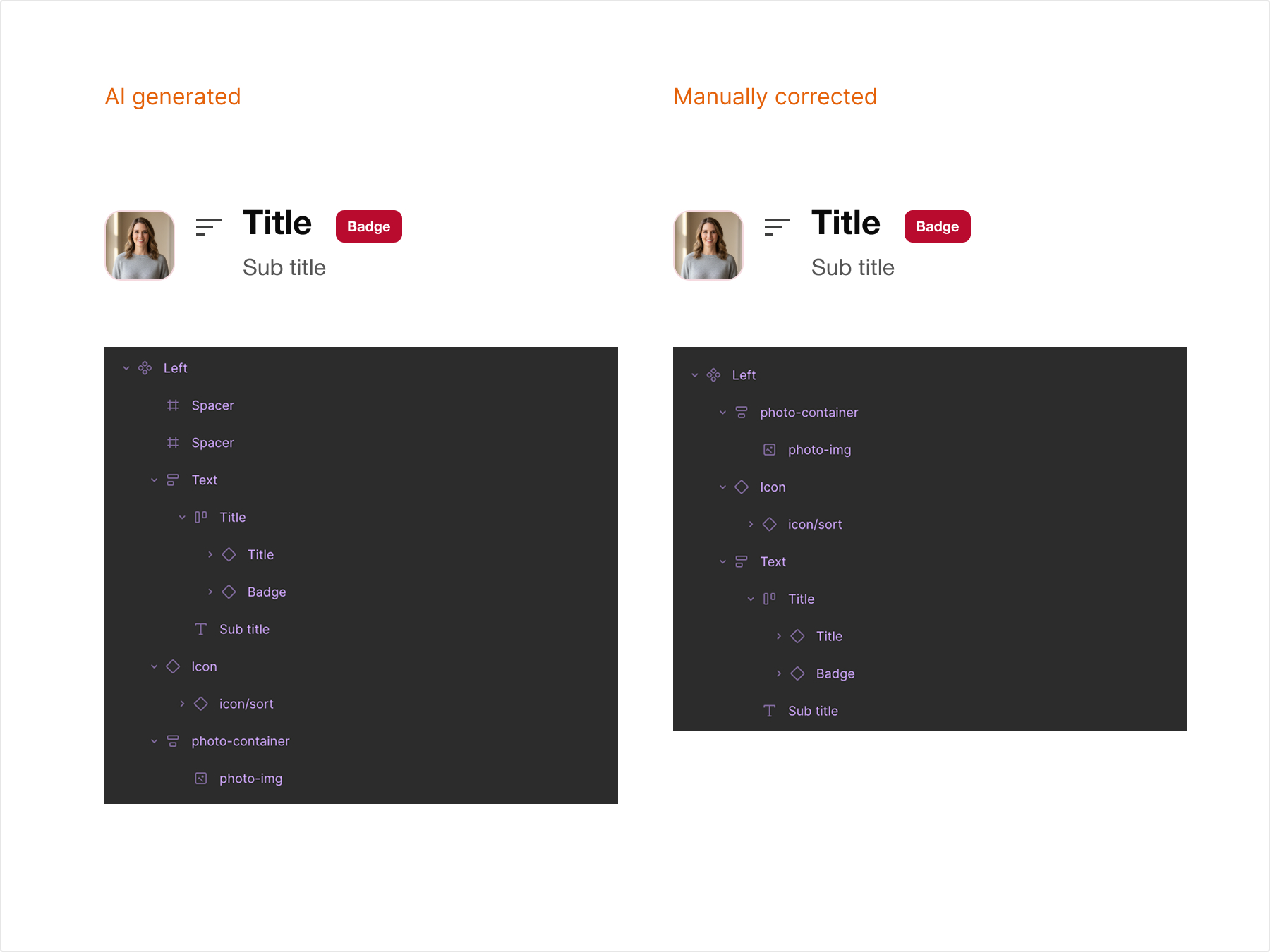
Several components, badges included, arrived as fixed frames instead of auto layout. Fine for a static file, wrong for anything holding real content. Rebuilt each one with proper auto layout behavior.

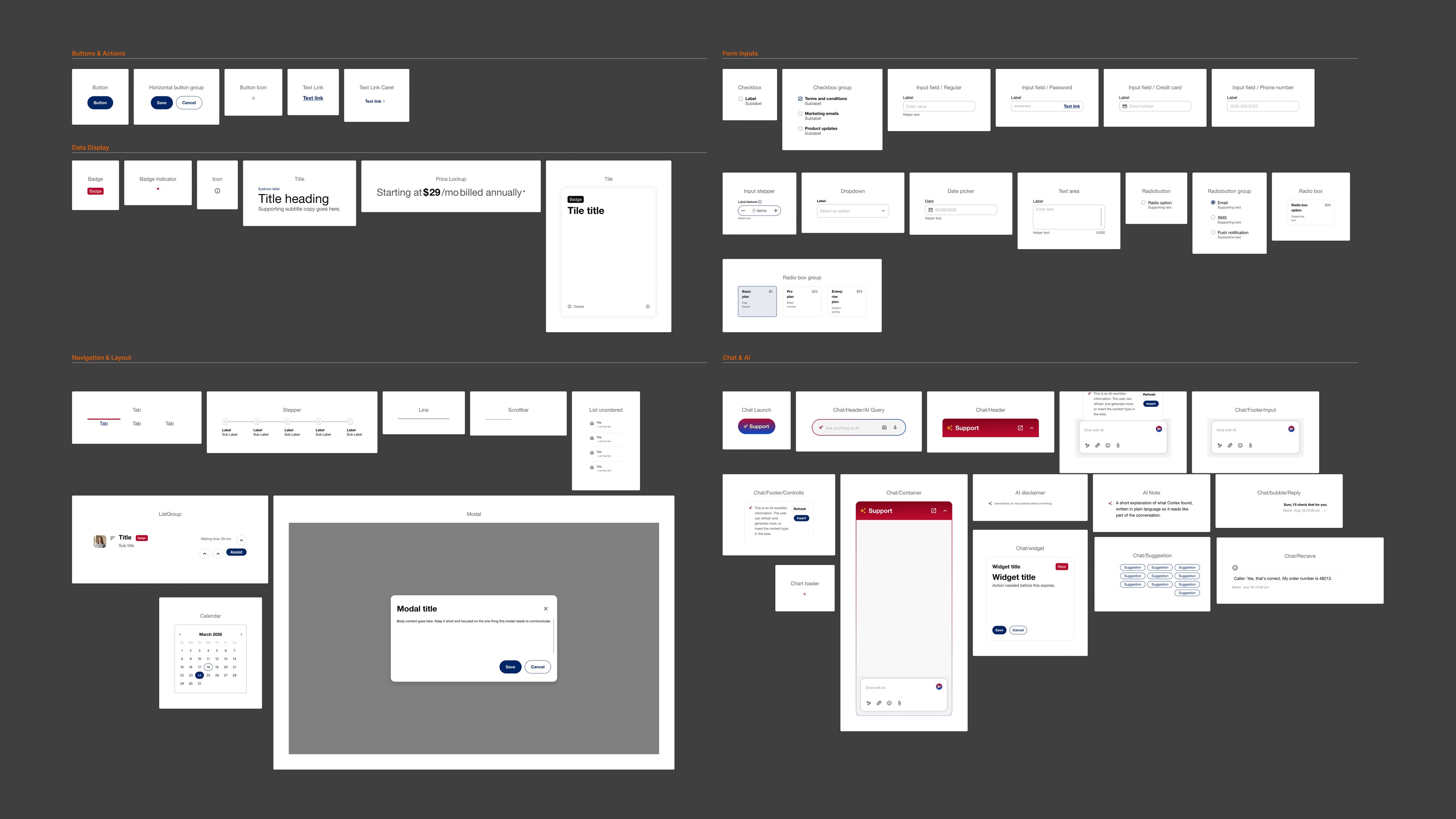
A production grade design system built from zero, directed with AI, and pressure tested against a real product.
0
Global components
0
Chat components
4 days
Foundation build
1 week+
Real world testing
The problem
Recreating a past project for this portfolio meant rebuilding real interface work without the original company's proprietary design system behind it. No tokens, no components, no documented rules existed to build on. The choice was simple: design every screen with no consistency guarantee, or build a real system first and design on top of it.
Building a full design system alone, in the time available for a portfolio project, is not normally realistic. The only way to close that gap was to treat AI as a build partner, not a shortcut, and stay personally responsible for every architectural decision.
Building the system
The system started with a brand name and a mark, then foundations: color primitives, a type scale, spacing and radius tokens. A detailed skill file directed Claude through component creation one at a time. Three moments from that build show what directing an AI partner actually looks like.
Several components, badges included, arrived as fixed frames instead of auto layout. Fine for a static file, wrong for anything holding real content. Rebuilt each one with proper auto layout behavior.
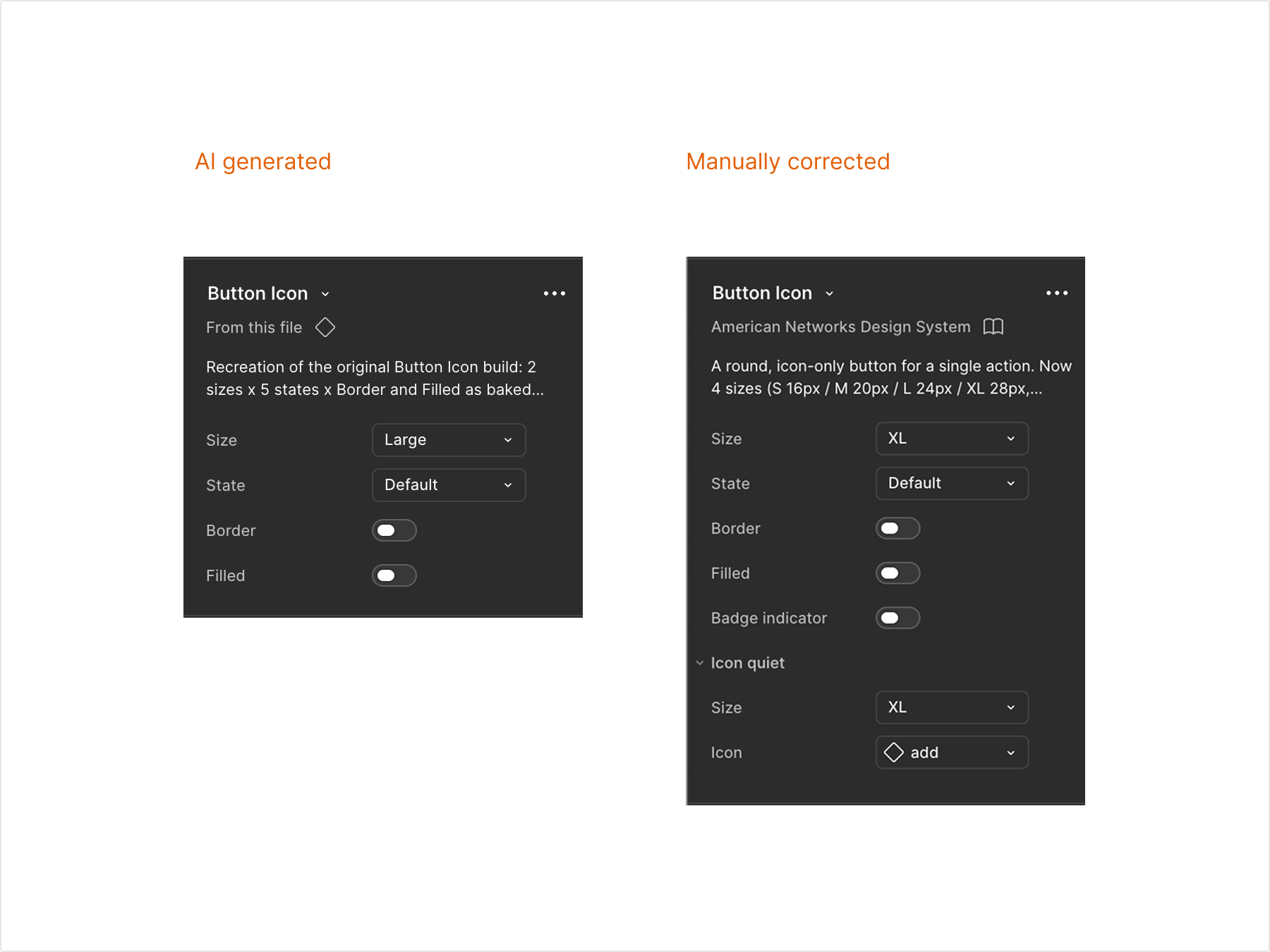
The first pass mixed fill, border, and icon scale into toggles that fought each other. Rebuilt as a clean boolean structure so each property works independently in any state.
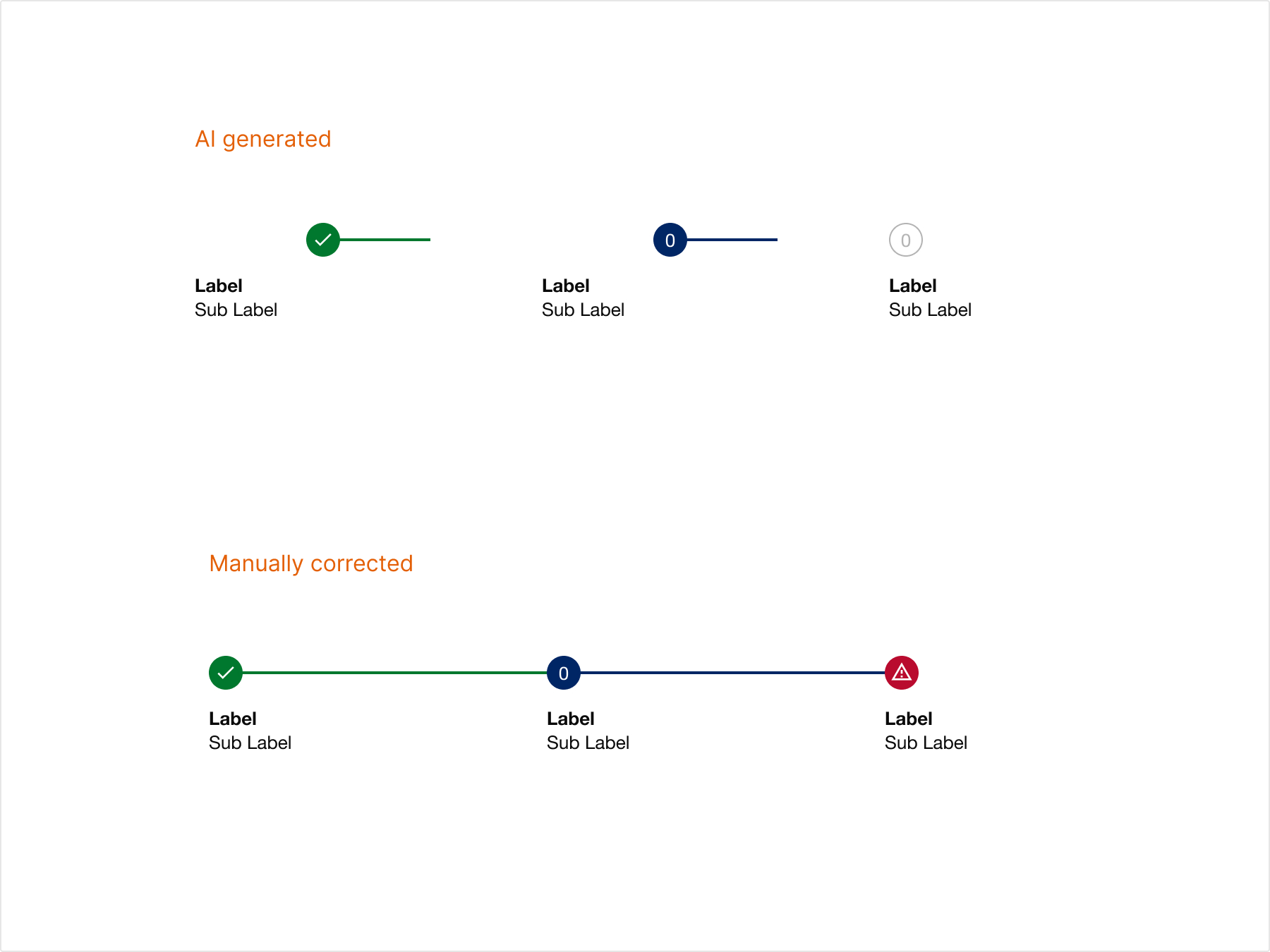
The AI-generated Stepper was structurally overcomplicated, and the connecting lines did not reliably lead to the next stage. Rebuilt around a simplified anatomy that actually communicates progress.
The pressure test
Foundations and base components came together in four days. The real test came after, once a conversational AI interface for agent support, running on a tablet, was being designed on top of the system. Many components needed changes that week — three that rewrote the architecture, not just a screen, are shown here.
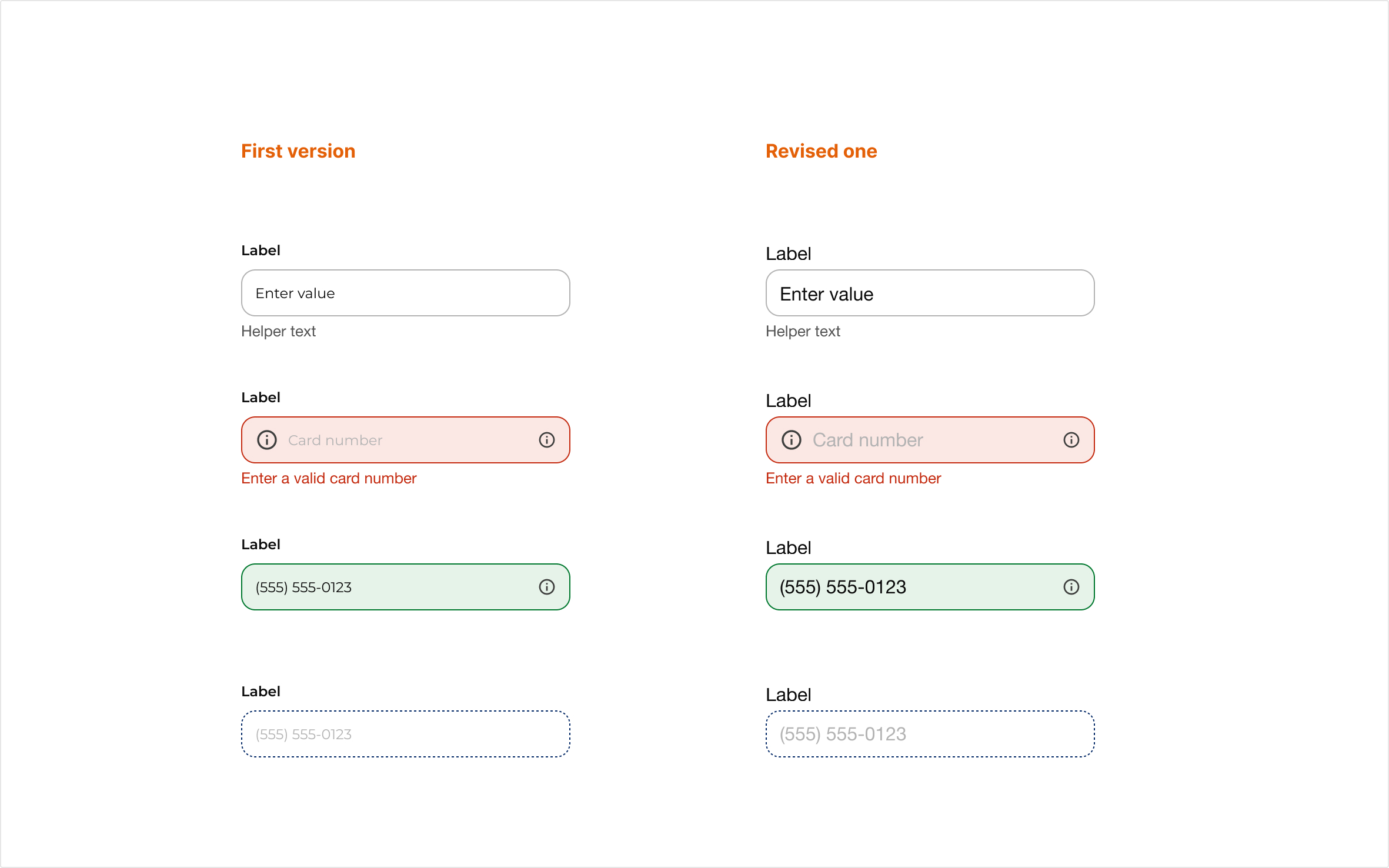
The input field's text token started at medium, on the assumption that size would read fine. Testing on the real tablet layout showed it did not. The token moved to large and the change carried across the entire system, not just one field.
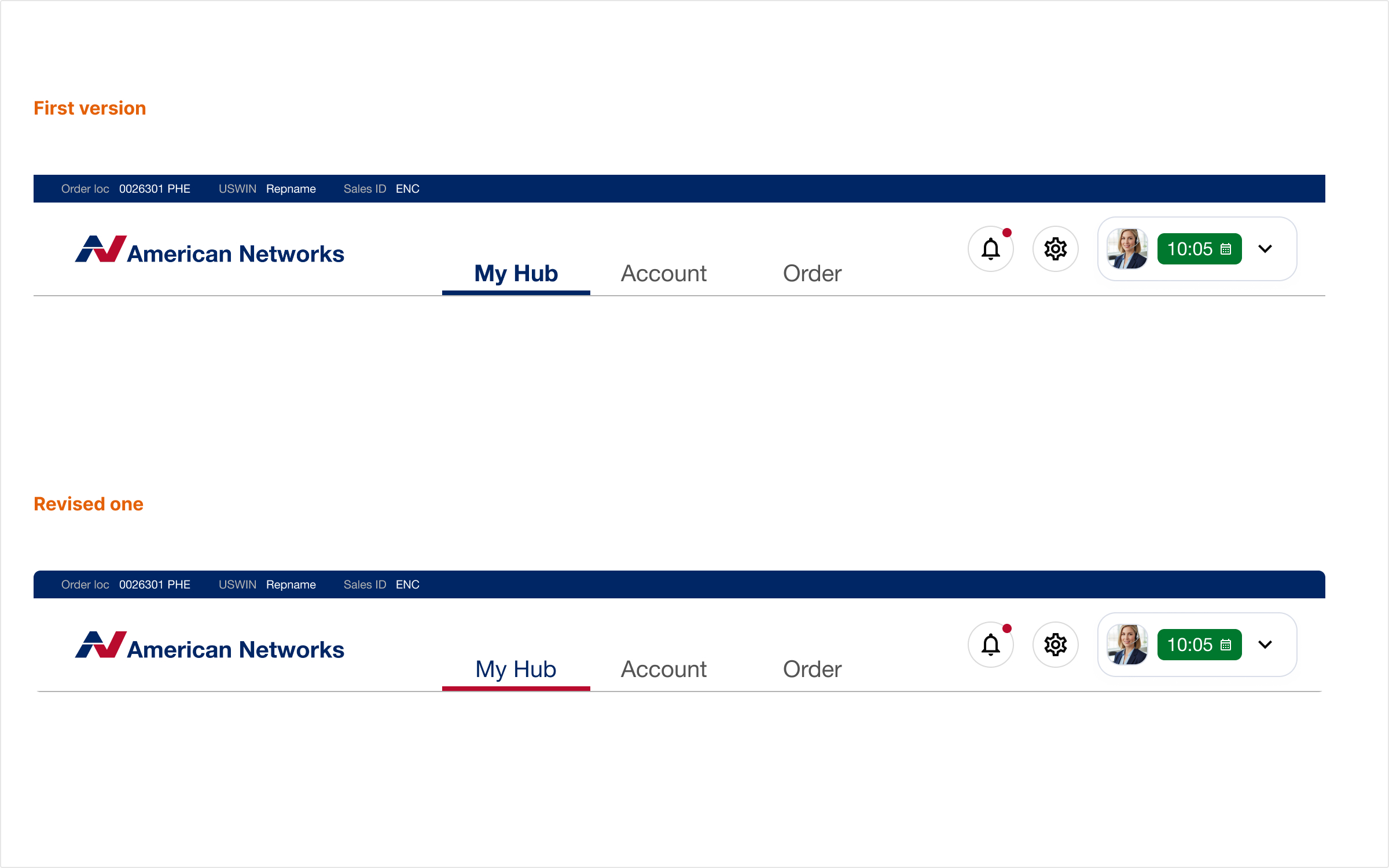
Tab selection used the same blue as the primary button background. On a real screen, the tab did not read as touchable, it blended into every other blue element. Selection moved to the brand red, reserved for that one purpose.
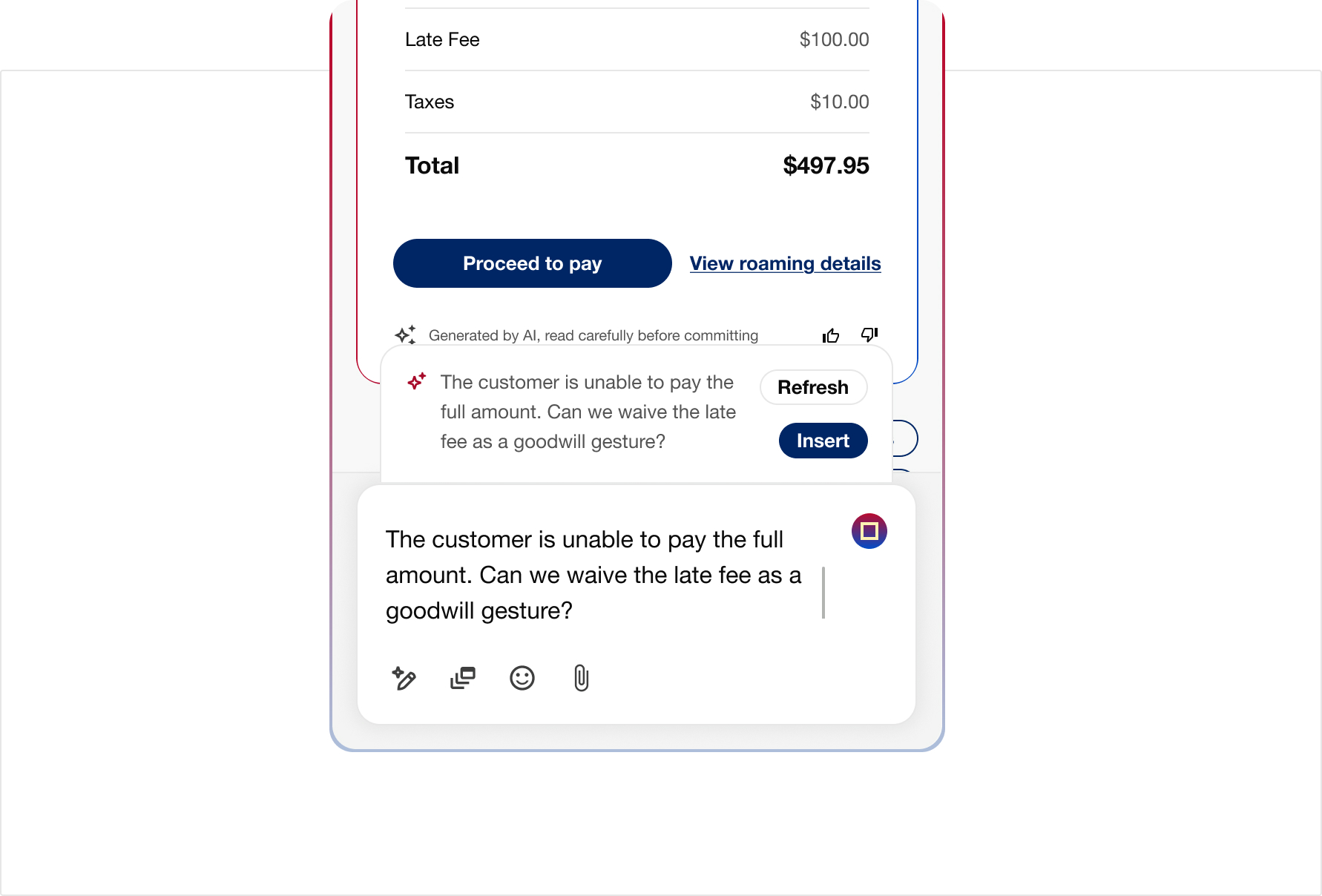
The chat input went through the most iteration of any component in the system. Attachments, suggested replies, and multiline text kept breaking the original layout. Each failure fed back into the component until it held up under every real case.
What this proves
One designer, working alone, can direct AI at a professional standard, catch its mistakes before they become the system's mistakes, and hold architectural integrity while a real product is designed at the same time.
All 23 global components and their sub components, and all 8 chat components and their sub components, are built, wired to tokens, and in active use. The architecture is stable. Documentation and full availability testing are in progress, with the plan to keep building past this case study and publish the system for wider use.